Best AI Tools for Productivity in 2026: Features, Pricing and Use Cases
Discover the best AI productivity tools in 2026, including ChatGPT, Google Gemini, Microsoft Copilot, Notion AI, Canva and Midjourney. Compare their key features, pricing options, strengths and limitations to find the right tools for writing, research, design…
In this article
- Best AI Productivity Tools in 2026: Quick Comparison
- 1. ChatGPT — Best for Writing, Research and Everyday Productivity
- 2. Google Gemini — Best for Google Workspace and Research
- 3. Microsoft Copilot — Best for Office Work and Business Productivity
- 4. Notion AI — Best for Notes, Knowledge Management and Team Productivity
- 5. Canva AI — Best for Graphic Design, Presentations and Marketing Content
- 6. Midjourney — Best for AI Image Generation and Creative Projects
- Which AI Productivity Tool Should You Choose in 2026?
- Frequently Asked Questions About AI Productivity Tools
- Final Verdict: What Are the Best AI Productivity Tools in 2026?
Artificial intelligence is changing how people write, research, design, organize projects, and complete everyday tasks. In 2026, AI productivity tools offer more than simple chatbots: they can help summarize information, generate creative assets, organize knowledge, and support complex workflows.
However, not every AI tool is suitable for every task. A writing assistant may be excellent at drafting emails but less useful for visual design. A powerful image generator may create impressive artwork without helping you manage deadlines or collaborate with colleagues.
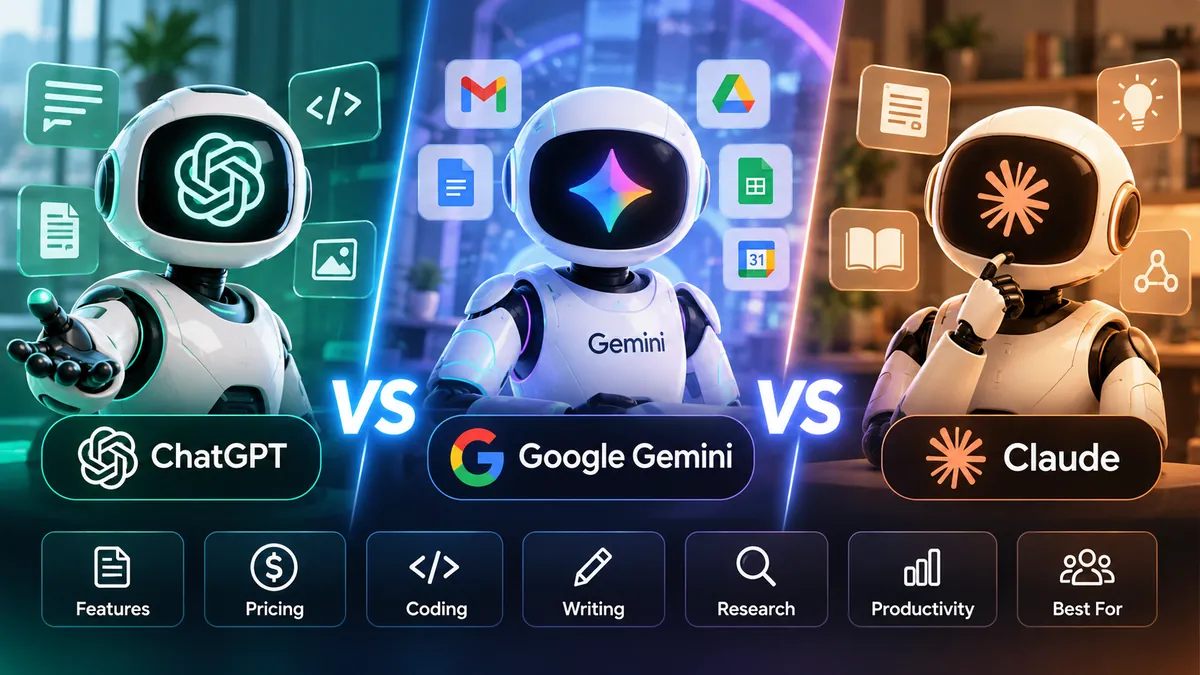
In this guide, we compare six widely used AI-powered tools: ChatGPT, Google Gemini, Microsoft Copilot, Notion AI, Canva, and Midjourney. We examine their core features, pricing models, practical applications, and limitations to help you decide which tools deserve a place in your workflow.
Our goal is not to declare one universal winner. Instead, we focus on matching each tool to the work you actually need to accomplish. Pricing, availability, and feature limits may vary by country, subscription, and account type.
Best AI Productivity Tools in 2026: Quick Comparison
Before exploring each platform in detail, here is a quick overview of which AI tools are best suited to different productivity needs.
ChatGPT — Best for general-purpose AI assistance, writing, brainstorming, research support, and problem-solving.
Google Gemini — Best for users working with Google's ecosystem, including Gmail, Docs, and other supported Google services.
Microsoft Copilot — Best for Microsoft 365 workflows, document creation, presentations, and business productivity.
Notion AI — Best for organizing knowledge, managing notes, summarizing information, and supporting team workflows.
Canva — Best for creating presentations, social media graphics, marketing materials, and AI-assisted visual content.
Midjourney — Best for generating creative images, conceptual artwork, and visual inspiration.
These recommendations reflect the tools' primary strengths rather than a universal ranking. The best choice depends on your budget, existing software, privacy requirements, and the type of work you perform.
1. ChatGPT — Best for Writing, Research and Everyday Productivity
ChatGPT, developed by OpenAI, is a versatile AI assistant designed to help people work with information, generate ideas, create content, and solve problems. It can support everyday productivity tasks, from drafting professional emails to explaining technical concepts and analyzing documents.
Key Features
- Writing and editing: Draft articles, emails, reports, presentations, and marketing content, then revise them for clarity, tone, and structure.
- Research assistance: Explore complex topics, organize findings, develop research questions, and summarize information. Important factual claims should still be verified against reliable sources.
- Document and data analysis: Work with supported uploaded files, extract useful information, analyze datasets, and explain results.
- Coding assistance: Generate code examples, explain programming concepts, troubleshoot errors, and help plan software projects.
- Brainstorming and planning: Develop content calendars, project outlines, business ideas, study plans, and structured workflows.
Pricing and Plans
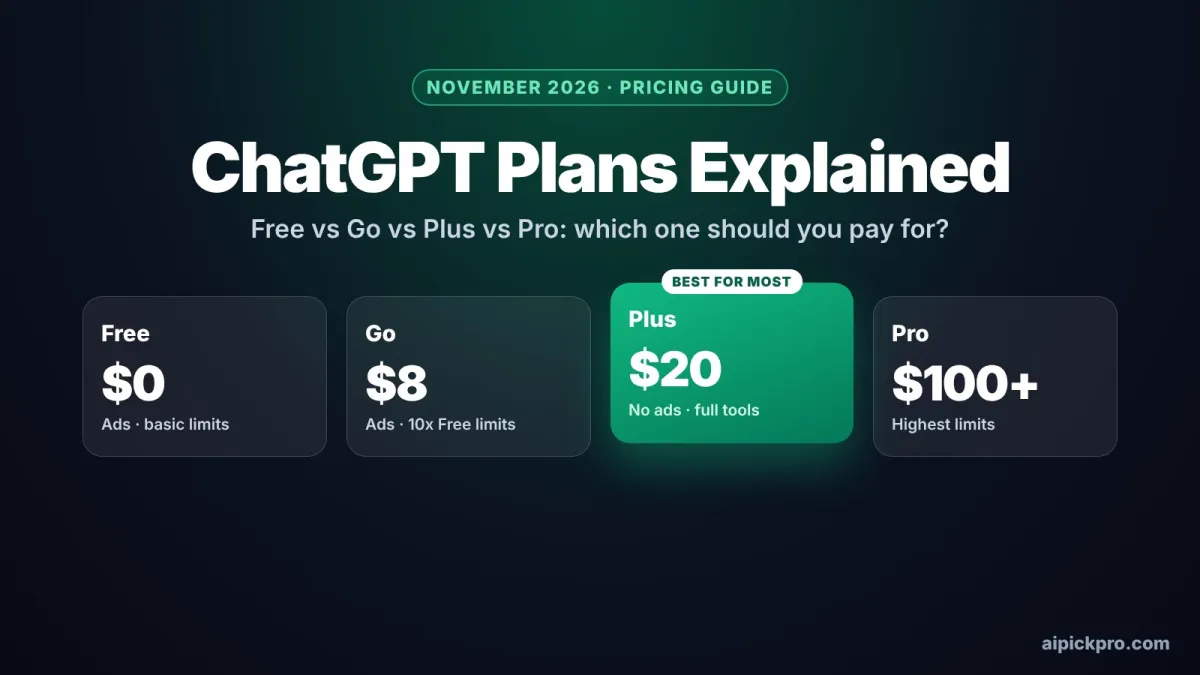
ChatGPT offers a free option alongside paid subscription plans with different usage limits and capabilities. Available plans and features may vary by account type, region, and subscription.
For current pricing and plan details, visit the official OpenAI pricing page: https://chatgpt.com/pricing/
Advantages
ChatGPT combines multiple productivity tasks within one interface. Its flexibility makes it useful for students, writers, researchers, developers, entrepreneurs, and professionals who need assistance across different workflows.
Limitations
ChatGPT can produce inaccurate information, misunderstand context, or generate convincing but incorrect references. Users should verify important claims, review AI-generated work, and avoid sharing confidential information without understanding the relevant privacy settings and organizational policies.
Best For
ChatGPT is a strong choice for people who need one general-purpose AI assistant for writing, learning, planning, coding, and research support rather than a tool dedicated to a single creative task.
2. Google Gemini — Best for Google Workspace and Research
Google Gemini is an AI assistant developed by Google. It helps users research topics, write content, analyze information, generate ideas, and complete everyday tasks. Gemini is particularly useful for people who already rely on Google's products and services.
Key Features
- Writing and editing: Draft emails, articles, summaries, reports, and other written content with AI assistance.
- Research and learning: Explore unfamiliar topics, compare information, develop research questions, and explain complex concepts.
- Multimodal capabilities: Work with supported combinations of text, images, and files, depending on the Gemini product and subscription.
- Google Workspace integration: Eligible users can access Gemini-powered assistance in supported Google Workspace applications, including Gmail and Docs.
- Planning and brainstorming: Generate project outlines, organize ideas, prepare schedules, and develop structured plans.
Pricing and Plans
Google offers Gemini experiences with different free and paid access options. Certain advanced features, usage limits, and Workspace integrations require eligible subscriptions.
Because Google's plans and regional availability can change, readers should consult the official pricing information before subscribing.
Official website: https://gemini.google.com/
Advantages
Gemini is particularly convenient for users who work with Google services. Its combination of conversational assistance, research support, and integrations can reduce the need to switch between separate applications.
Limitations
Not every Gemini feature is available in every country, language, account, or subscription. Google Workspace features may require specific plans. As with other AI assistants, generated information can contain mistakes and should be independently verified.
Best For
Google Gemini is a strong option for students, researchers, professionals, and teams who regularly use Google's ecosystem and want AI assistance for writing, research, and everyday productivity.
3. Microsoft Copilot — Best for Office Work and Business Productivity
Microsoft Copilot is a family of AI-powered assistants developed by Microsoft. It helps individuals and businesses complete everyday tasks, create documents, analyze information, and improve productivity.
One of Copilot's biggest advantages is its integration with Microsoft's software ecosystem. Depending on the subscription and organizational configuration, Copilot can provide AI assistance across supported Microsoft 365 applications.
Key Features
- Document creation: Draft, rewrite, summarize, and improve written content in supported Microsoft Word experiences.
- Spreadsheet assistance: Help analyze data, explore trends, and work with spreadsheets through eligible Microsoft Excel features.
- Presentation support: Assist with creating, organizing, and improving presentations in supported PowerPoint experiences.
- Email productivity: Help draft messages, summarize conversations, and manage communication in supported Outlook experiences.
- Meeting and collaboration support: Eligible Microsoft Teams users can use Copilot features to summarize discussions and identify important information.
- General AI assistance: Ask questions, brainstorm ideas, generate content, and receive help with everyday tasks through supported Copilot experiences.
Pricing and Plans
Microsoft offers different Copilot products for personal and business use. Some AI features are available through free experiences, while advanced Microsoft 365 integrations and organizational capabilities may require eligible paid subscriptions.
Pricing and included features depend on the product, country, subscription, and licensing requirements.
For current plans and product information, visit:https://www.microsoft.com/microsoft-copilot
Advantages
Microsoft Copilot is especially useful for people who already work with Word, Excel, PowerPoint, Outlook, and Teams. Its integrations can help reduce repetitive work and support productivity without requiring users to adopt an entirely separate software ecosystem.
For organizations, Microsoft 365 Copilot can also support workflows involving business documents, meetings, and collaboration, subject to the organization's permissions and configuration.
Limitations
Copilot features are not identical across all Microsoft products or subscription plans. Some advanced integrations require additional licensing, compatible applications, or organizational setup.
AI-generated summaries, calculations, and recommendations should be reviewed for accuracy. Businesses should also evaluate data access permissions and security policies before deploying AI assistants across sensitive workflows.
Best For
Microsoft Copilot is a strong choice for office professionals, business teams, managers, and organizations that already rely on Microsoft 365 and want AI assistance integrated into familiar workplace applications.
4. Notion AI — Best for Notes, Knowledge Management and Team Productivity
Notion AI is a collection of artificial intelligence features integrated into Notion, a workspace for notes, documents, projects, and knowledge management.
Unlike general-purpose AI assistants, Notion AI is particularly valuable when your daily work involves organizing information, maintaining project documentation, and collaborating with colleagues.
Key Features
- AI-assisted writing: Draft documents, improve existing text, adjust tone, and turn rough notes into more structured content.
- Summarization: Condense lengthy documents, meeting notes, and other supported content into useful summaries.
- Knowledge discovery: Find and understand information stored in accessible workspace content through supported AI search features.
- Project documentation: Create project briefs, organize action items, and prepare structured documentation.
- Team collaboration: Help teams work with shared knowledge, documents, and project information in a centralized workspace.
- Workflow assistance: Use available AI-powered features to support repetitive information-management tasks, depending on the workspace plan and configuration.
Pricing and Plans
Notion offers free and paid workspace plans. Access to advanced Notion AI features depends on the subscription, and some capabilities are associated with Business or Enterprise plans.
Users should compare both the standard workspace features and the AI features included in each plan before subscribing.
Official pricing page:https://www.notion.com/pricing
Advantages
Notion AI can be especially useful for teams that already store their documentation, project plans, and internal knowledge in Notion.
Instead of copying information between unrelated applications, users can work with AI assistance inside their existing workspace. This can make writing, summarizing, and organizing information more convenient.
Limitations
Notion AI is not a complete replacement for specialized design software, advanced spreadsheet analysis tools, or dedicated coding environments.
The usefulness of its knowledge-related features also depends on how well information is organized and what content the user is permitted to access.
Certain AI capabilities require eligible paid plans, and feature availability may change.
Best For
Notion AI is a strong choice for project managers, content teams, startups, students, and organizations that want to combine documentation, knowledge management, and AI-assisted productivity in one workspace.
5. Canva AI — Best for Graphic Design, Presentations and Marketing Content
Canva is a visual communication and design platform that combines easy-to-use editing tools with artificial intelligence features. Its AI-powered capabilities help individuals and businesses create presentations, social media graphics, marketing materials, and other visual content.
Unlike general-purpose AI chatbots, Canva focuses on turning ideas into practical visual assets. Users can start with templates, generate creative content, and customize designs without needing extensive graphic design experience.
Key Features
- AI-assisted design: Generate design ideas and create visual content using supported AI tools and prompts.
- Presentation creation: Develop slides, organize visual information, and prepare professional-looking presentations.
- AI image generation: Create original visual concepts from text descriptions using available image-generation features.
- Writing assistance: Draft headlines, social media captions, marketing copy, and other short-form content with AI-powered writing tools.
- Photo editing: Use supported editing features to modify images, remove backgrounds, and improve visual compositions.
- Templates and brand consistency: Customize ready-made layouts and use available brand-management features to maintain a consistent visual identity.
- Team collaboration: Work with colleagues on shared designs and creative projects through supported collaboration features.
Pricing and Plans
Canva offers free and paid plans with different design features, AI usage allowances, collaboration options, and brand-management capabilities.
Some advanced AI tools and premium assets require eligible paid subscriptions. Usage limits may also apply to specific AI features.
For current pricing and plan details, visit:https://www.canva.com/pricing/
Advantages
Canva makes visual content creation accessible to people who are not professional designers. Its templates, editing tools, and AI capabilities can reduce the time required to produce everyday marketing and communication materials.
It is particularly useful for small businesses, content creators, educators, and marketing teams that regularly need presentations, promotional graphics, and social media content.
Limitations
AI-generated designs may require manual editing to meet professional quality standards or brand requirements.
Some generated visuals can contain inaccurate details, unusual text, or inconsistent elements. Users should review their designs carefully before publishing.
Premium templates, advanced editing features, and certain AI capabilities may require paid access. Users should also check Canva's applicable licensing terms before using assets commercially.
Best For
Canva is an excellent option for social media managers, marketers, educators, entrepreneurs, and teams that want to create attractive visual content quickly without relying entirely on specialized graphic design software.
6. Midjourney — Best for AI Image Generation and Creative Projects
Midjourney is an AI-powered creative platform best known for generating images from text prompts. It enables artists, designers, marketers, and content creators to explore visual ideas and produce original-looking illustrations, concept artwork, and other creative assets.
Unlike general-purpose AI assistants such as ChatGPT or Google Gemini, Midjourney focuses primarily on visual creation rather than everyday writing, research, or office productivity.
Key Features
- Text-to-image generation: Create visual concepts from written descriptions, including illustrations, artistic compositions, and marketing imagery.
- Creative style exploration: Experiment with different artistic directions, lighting conditions, color palettes, and visual aesthetics.
- Image variations: Generate alternative versions of visual concepts to explore different compositions and creative approaches.
- Image editing and refinement: Use supported tools to modify generated images and improve selected visual details.
- Visual brainstorming: Develop mood boards, advertising concepts, character designs, and other creative references.
- Creative workflow support: Produce visual starting points that can be refined further in professional design applications.
Pricing and Plans
Midjourney uses a subscription-based pricing model with different tiers, including Basic, Standard, Pro, and Mega plans.
Plans differ in their generation allowances, available processing modes, and other features. Certain privacy-related capabilities may require higher subscription tiers.
For current pricing and subscription details, visit:https://docs.midjourney.com/hc/en-us/articles/27870484040333-Comparing-Midjourney-Plans
Advantages
Midjourney is particularly useful for exploring creative concepts quickly. Instead of manually producing every initial design idea, users can generate multiple visual directions and choose which concepts deserve further development.
It can help illustrators, advertising teams, independent creators, and designers experiment with visual styles and communicate ideas more effectively.
Limitations
Midjourney is not a replacement for professional design judgment or precise image-editing software. Generated images may contain inaccurate objects, inconsistent details, or text-rendering errors.
The platform is also less suitable for tasks such as spreadsheet analysis, business documentation, and project management.
Users planning commercial projects should review the applicable subscription terms, usage rights, and privacy settings. AI-generated images may also require additional review for intellectual property, brand suitability, and factual accuracy.
Best For
Midjourney is a strong option for designers, digital artists, marketing professionals, and content creators who prioritize visual creativity, concept development, and AI-assisted image generation.
Which AI Productivity Tool Should You Choose in 2026?
Choosing the right AI productivity tool depends on your daily responsibilities, existing software, budget, and the results you want to achieve. Rather than subscribing to several platforms immediately, start by identifying the tasks that consume most of your time.
For Writers and Content Creators
ChatGPT and Google Gemini are useful starting points for drafting articles, brainstorming ideas, improving writing, and organizing research. Both require human fact-checking and editorial review before publication.
For Office Professionals
Microsoft Copilot is worth considering if your work primarily involves Microsoft 365 applications. Google Gemini may be more convenient for users who rely on supported Google Workspace products.
For Project Managers and Teams
Notion AI can help teams organize documents, summarize information, and manage shared knowledge. It is particularly relevant when Notion is already part of the team's workflow.
For Designers and Marketers
Canva is a practical choice for presentations, social media graphics, and everyday marketing materials. Midjourney is better suited to creative image generation, visual exploration, and concept development.
For Students and Researchers
ChatGPT and Google Gemini can support learning, explanations, note organization, and research planning. However, AI-generated answers should not replace original sources, academic references, or independent verification.
For Small Businesses
A combination of tools may be more useful than a single subscription. For example, a business could use ChatGPT for content planning, Canva for marketing graphics, and Notion for internal documentation.
Before Paying for an AI Subscription
Consider these five questions:
- Does the tool solve a task you perform regularly?
- Are the features you need included in the free plan?
- Does it integrate with software you already use?
- Are its privacy, data handling, and commercial usage terms suitable for your work?
- Will the time saved justify the subscription cost?
The best AI productivity setup is not necessarily the one with the most tools. It is the one that delivers measurable value without adding unnecessary complexity or recurring expenses.
Frequently Asked Questions About AI Productivity Tools
- What is the best AI productivity tool in 2026?
There is no single AI tool that is best for everyone. ChatGPT is a versatile option for writing, brainstorming, coding, and research assistance. Google Gemini is useful for people working with Google's ecosystem, while Microsoft Copilot is particularly relevant to Microsoft 365 users. Canva, Notion AI, and Midjourney serve more specialized creative and organizational needs.
- Are AI productivity tools free to use?
Several AI productivity platforms offer free access or limited free features, including ChatGPT, Google Gemini, and Canva. However, advanced capabilities, higher usage limits, and certain integrations may require paid subscriptions. Midjourney primarily operates through paid subscription plans.
- Which AI tool is best for writing articles and blog posts?
ChatGPT and Google Gemini can help with article outlines, drafting, editing, and brainstorming. They can also support research planning and content organization. However, publishers should independently verify factual claims, check originality, and apply human editorial judgment before publishing AI-assisted articles.
- Is Microsoft Copilot better than ChatGPT?
Neither tool is universally better. Microsoft Copilot may be more convenient for professionals who need AI features inside supported Microsoft 365 applications. ChatGPT is a flexible general-purpose assistant for writing, coding, research support, and other tasks. The better choice depends on the user's workflow, subscription, and required integrations.
- Which AI tool is best for creating images?
Midjourney is particularly well suited to artistic image generation and visual concept development. Canva is often more practical for producing finished social media graphics, presentations, and marketing materials. The right choice depends on whether the priority is generating creative imagery or preparing editable designs.
- Can AI productivity tools replace human workers?
AI tools can automate or accelerate parts of many jobs, but they do not eliminate the need for human judgment, creativity, accountability, and expertise. AI-generated outputs may contain mistakes, and important business, legal, medical, or financial decisions require appropriate professional review.
- How can I choose the right AI subscription?
Start with a specific task you want to improve. Test available free features, compare usage limits, evaluate privacy requirements, and consider integration with your existing software. Subscribe only when the additional capabilities provide clear value. Always verify current pricing and plan terms on the provider's official website.
Final Verdict: What Are the Best AI Productivity Tools in 2026?
AI productivity tools have become valuable resources for individuals, creators, and businesses looking to work more efficiently. However, the best platform depends on the problems you want to solve and the software you already use.
ChatGPT stands out as a flexible general-purpose assistant for writing, brainstorming, coding, and research support. Google Gemini is particularly relevant to users working within Google's ecosystem, while Microsoft Copilot offers useful integrations for eligible Microsoft 365 workflows.
Notion AI focuses on knowledge management, documentation, and team productivity. Canva makes visual content creation more accessible, and Midjourney offers powerful possibilities for creative image generation and visual concept development.
For most users, the smartest approach is to begin with one tool that addresses a specific daily need. Explore its free features when available, measure the time it saves, and consider a paid subscription only when the benefits justify the cost.
It is also important to remember that AI-generated information is not always accurate. Human review, fact-checking, responsible data handling, and creative judgment remain essential.
As AI technology continues to evolve throughout 2026, features, pricing, and subscription limits may change. Always consult official product websites for the latest information before making purchasing or business decisions.
Ultimately, the most effective AI productivity strategy is not about using every available tool. It is about selecting the right combination of technology, human expertise, and practical workflows to achieve better results.
Explore more AI news, software comparisons, and practical technology guides on AIPickPro.