How to Spot AI-Generated Images in 2026: 9 Practical Ways to Verify a Photo
Learn 9 practical ways to spot AI-generated images, verify photo sources, check Content Credentials, and avoid misleading AI detection results.
In this article
- 1. Examine Small Visual Details
- 2. Look Carefully at Text and Symbols
- 3. Check Lighting, Shadows, and Reflections
- 4. Use Google Lens to Find Similar Images
- 5. Explore Google's About This Image Feature
- 6. Check Content Credentials and C2PA Metadata
- 7. Be Skeptical of AI Image Detector Scores
- 8. Investigate the Original Source and Context
- 9. Look for Independent Evidence
- Why Visual AI Detection Is Becoming Harder
- A Practical Image Verification Workflow
- Common Mistakes When Identifying AI Images
- Frequently Asked Questions
- Final Thoughts
- Sources and Further Reading
Artificial intelligence has made it easier than ever to create realistic images of people, places, products, and events. A picture that looks like an ordinary photograph may have been generated entirely by software, edited with AI, or taken with a real camera and later manipulated.
This creates a practical challenge for anyone who uses social media, follows breaking news, shops online, or receives images through messaging apps: how can you tell whether a picture is authentic?
The answer is not as simple as checking for unusual hands or distorted faces. Modern image-generation systems can produce convincing details, while genuine photographs can contain strange lighting, optical distortions, and editing artifacts.
The most reliable approach is to investigate an image from several angles. Visual clues are useful, but its source, publication history, metadata, and surrounding context often provide stronger evidence.
This guide explains nine practical ways to examine suspicious images, what each method can reveal, and where its limitations begin.
1. Examine Small Visual Details
Start by looking closely at the parts of an image that are easy to overlook.
AI-generated pictures sometimes contain inconsistencies involving jewelry, clothing seams, eyeglass frames, reflections, or objects partially hidden behind other objects.
For example, a necklace may appear to merge into a shirt, or the shape of an object may change unexpectedly where it crosses another surface.
These details can provide reasons to investigate further.
However, a strange detail is not proof that an image was generated by AI. Camera movement, compression, low resolution, and conventional photo editing can produce similar effects.
The useful question is not whether the image contains a single imperfection. It is whether several details appear inconsistent with the scene as a whole.
2. Look Carefully at Text and Symbols
Signs, product packaging, posters, and printed labels can offer additional clues.
Some AI-generated images contain letters that resemble familiar writing without forming meaningful words. Others may include inconsistent logos, unusual typography, or repeated symbols.
When examining text, consider whether the words make sense in their supposed location.
A restaurant sign, for instance, should generally be consistent with the language, branding, and environment shown in the picture.
Be careful with this method. Current image-generation systems can reproduce readable text, and authentic photographs can contain blurred or partially obscured lettering.
Readable text does not establish authenticity, and distorted text does not automatically establish AI generation.
3. Check Lighting, Shadows, and Reflections
Lighting is another area worth examining.
Look at where the main light appears to originate. Then compare the shadows cast by people, furniture, vehicles, and nearby objects.
In a coherent scene, lighting should generally follow the physical relationships between objects and light sources.
Reflections can also reveal unusual details. A mirror may show an object in an unexpected position, or a reflective surface may appear inconsistent with its surroundings.
Nevertheless, real photography is more complicated than a single light source and a single shadow direction.
Multiple lamps, reflected sunlight, studio equipment, curved mirrors, and computational photography can create effects that initially look unnatural.
Use lighting and reflections as supporting clues rather than a final verdict.
4. Use Google Lens to Find Similar Images
One of the most useful verification techniques is to search for an image elsewhere online.
Google Lens can help identify visually similar pictures, websites containing an image, and related information.
To investigate a suspicious picture:
- 1. Save the image or take a screenshot.
- 2. Open Google Lens through Google Search or a supported browser.
- 3. Upload the image or select it from your device.
- 4. Review the matching images and websites.
- 5. Compare publication dates, captions, and original sources.
Suppose an image is being shared as a photograph of an event that supposedly happened today.
A visual search might reveal that the same image appeared several years earlier in a completely different context.
That finding would undermine the new claim, even if the image itself were a genuine photograph.
A visual search is not an AI detector. It helps investigate where an image has appeared and how it has been described.
It may also return no useful matches for a new or privately shared image.
5. Explore Google's About This Image Feature
Google's About This Image feature can provide additional context about certain pictures.
Depending on availability and the information Google can identify, it may show how other websites have used an image, relevant descriptions, available metadata, and certain AI-related signals.
This can be particularly helpful when an image is connected to a controversial claim or a rapidly developing story.
For example, an image presented as evidence of a recent disaster may have been previously published as an illustration, an unrelated photograph, or an AI-generated scene.
Finding that earlier context can change how the image should be interpreted.
However, the absence of information does not mean the picture is authentic.
An image may be too new, too obscure, or insufficiently documented for a search service to provide a meaningful history.
Treat the feature as one source of evidence, not an automatic truth checker.
6. Check Content Credentials and C2PA Metadata
Some digital images include information describing how they were created or edited.
Content Credentials, based on C2PA standards, are designed to provide verifiable information about a file's provenance and editing history when participating tools and systems support them.
Depending on the file, this information may identify the software involved in its creation or indicate that generative AI was used.
You can explore supported files using the Content Credentials verification tools available through the official Content Credentials website.
A valid credential can be valuable evidence about the file's recorded history.
However, there are two important limitations.
First, not every authentic photograph includes Content Credentials. A missing credential does not mean an image was generated by AI.
Second, metadata can disappear when an image is exported, resized, screenshotted, or uploaded through certain platforms.
There is also a distinction between provenance and truth.
A credential may help establish that a file was created by a particular tool, but it does not prove that the event depicted in the image actually happened.
For reliable verification, provenance information should be considered alongside independent reporting and other evidence.
7. Be Skeptical of AI Image Detector Scores
Online AI image detectors often promise a quick answer after you upload a picture.
Some tools return a percentage indicating how likely an image is to have been generated by artificial intelligence.
These scores can be tempting to treat as definitive.
They should not be.
AI detection systems can make mistakes in both directions. A genuine photograph may be classified as synthetic, while an AI-generated image may escape detection.
Image compression, cropping, editing, and changes in generation technology can affect detector performance.
A percentage displayed by a detector is not necessarily a statistically calibrated probability that the picture is fake.
If you use such a tool, examine its published limitations and testing methodology. Avoid relying on a single result, especially when making accusations about a person or publisher.
Do not upload private photographs, identification documents, or sensitive images to unfamiliar detection services without understanding how the files will be stored and used.
8. Investigate the Original Source and Context
An image's origin can be more informative than its appearance.
Ask who first published the picture and whether the account or website provides credible information about it.
Consider the following questions:
- Is the image attributed to a named photographer, organization, or original publisher?
- Is there an earlier version available?
- Does the accompanying description identify a location and date?
- Can those details be verified independently?
- Are reputable sources reporting the same event?
- Has the image been cropped or reposted with a different caption?
A picture may be authentic but misleading because it has been taken out of context.
For example, a real photograph of a crowded airport could be reused years later to support a false claim about a current travel disruption.
In that situation, the problem is not AI generation. It is misleading presentation.
This distinction matters because verifying digital media involves more than separating computer-generated images from camera photographs.
9. Look for Independent Evidence
The strongest verification often comes from evidence beyond the image itself.
If a picture claims to show a major public event, look for independent reporting, additional photographs, video recordings, official statements, or eyewitness accounts that can be corroborated.
When several unrelated sources document the same event from different perspectives, confidence in the underlying claim may increase.
Be cautious, though. Multiple websites can repeat the same unverified claim or reuse the same misleading image.
The goal is to find genuinely independent evidence rather than a large number of identical posts.
For everyday situations, this might mean checking whether a product photograph appears on the manufacturer's official website or whether a location matches publicly available maps and street imagery.
For important claims, avoid making a decision based solely on one photograph.
Why Visual AI Detection Is Becoming Harder
Early AI-generated images were often associated with obvious problems such as distorted fingers, inconsistent faces, and unnatural backgrounds.
Those examples remain familiar, but they are no longer reliable universal indicators.
Image-generation technology continues to improve, and many synthetic pictures contain convincing textures, lighting, typography, and human anatomy.
At the same time, ordinary smartphone photographs increasingly use computational processing to adjust exposure, sharpen details, reduce noise, and enhance portraits.
This makes the boundary between an untouched photograph, an AI-assisted edit, and a fully synthetic image less straightforward.
It is therefore more useful to ask what can be verified about an image than to rely on whether it simply looks artificial.
A Practical Image Verification Workflow
If you encounter a suspicious picture, use this simple sequence.
Step 1: Identify the claim.
Determine exactly what the image is supposed to prove. Is it claiming to show a real event, a particular person, or a specific product?
Step 2: Inspect the picture.
Look for unusual details, but avoid making an immediate judgment.
Step 3: Search for earlier versions.
Use Google Lens or another visual search tool to investigate the image's history.
Step 4: Check available provenance information.
Look for Content Credentials or other relevant metadata, while remembering that missing information is not proof of manipulation.
Step 5: Verify the publisher.
Identify the original source where possible and examine whether its description is supported by evidence.
Step 6: Seek independent confirmation.
For important claims, compare the image with reliable reporting or additional documentation.
Step 7: State your conclusion carefully.
If the evidence remains inconclusive, describe the image as unverified rather than confidently labeling it real or fake.
This process is more responsible than trusting a single detector score or visual clue.
Common Mistakes When Identifying AI Images
A common mistake is assuming that every unusual hand or facial detail indicates artificial intelligence.
Real photographs can contain motion blur, perspective distortion, and editing errors.
Another mistake is assuming that professional-looking images must be authentic. Synthetic pictures can look polished, while genuine photographs may appear imperfect.
People also sometimes treat missing metadata as proof that a picture was created by AI.
In reality, metadata can be removed for many ordinary reasons.
Finally, an image's authenticity does not guarantee that its caption is accurate.
A real photograph paired with a false description can be just as misleading as a completely fabricated scene.
Frequently Asked Questions
Can you always tell whether an image was generated by AI?
No. There is no universally reliable visual method for identifying every AI-generated image. Source verification, provenance information, and independent evidence are often more useful than appearance alone.
Are strange fingers still a sign of AI-generated images?
They can be a reason to investigate, but they are not conclusive evidence. Modern AI tools can produce convincing hands, and real photographs can contain unusual-looking anatomy because of perspective or motion.
Can Google Lens detect AI-generated images?
Google Lens is primarily a visual search tool. It can help find similar images and relevant sources. Certain Google image-information features may also surface available AI-related information, but Lens should not be treated as a universal AI detector.
What are Content Credentials?
Content Credentials are a way to provide verifiable information about the creation and editing history of supported digital files. They can help establish provenance, but they do not prove that the scene depicted is true.
Does missing metadata mean a photo is fake?
No. Metadata may be absent because of screenshots, exports, editing, social media processing, or the original device and software used.
Are AI image detectors accurate?
Accuracy varies by tool, image type, and testing conditions. Detector results can be incorrect and should not be treated as definitive proof.
Can a real photograph still spread misinformation?
Yes. Genuine photographs can be cropped, edited, mislabeled, or shared with misleading descriptions. Verifying context is essential.
Final Thoughts
Identifying AI-generated images is becoming less about finding obvious visual mistakes and more about understanding the evidence behind a picture.
Visual inspection remains useful, but it works best when combined with image searches, provenance checks, source investigation, and independent verification.
No single technique can reliably settle every case.
The most practical habit is to avoid treating an unfamiliar image as proof until its origin and context have been reasonably established.
As synthetic media becomes more convincing, careful verification will be an increasingly valuable digital skill.
Sources and Further Reading
Google Search Help — Search with an image on Google
https://support.google.com/websearch/answer/1325808?hl=en
Google — New ways to access About This Image
https://blog.google/products-and-platforms/products/search/google-about-this-image-update-july-2024/
Content Credentials — Official Website
https://contentcredentials.org/
C2PA — Coalition for Content Provenance and Authenticity
Google — Learn about AI labels and Content Credentials
https://support.google.com/drive/answer/17560328?hl=en
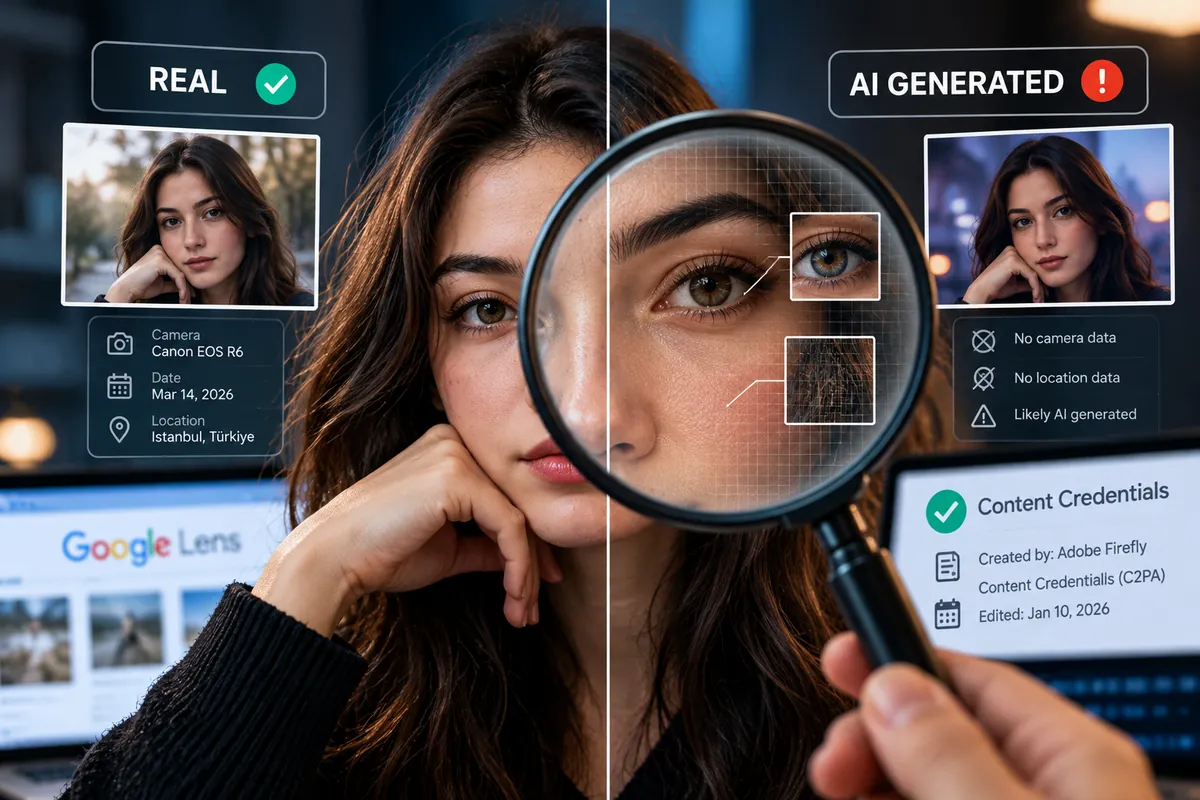
Editorial note: This guide explains publicly documented image-verification methods and their limitations. It does not present the results of original forensic testing. The accompanying illustration is AI-generated and intended for educational purposes.