Apple App Store Updates 2026: New Features, iPhone Duo Rules and Subscription Changes
Apple is introducing App Store changes in 2026, including new app discovery tools, upcoming iPhone Duo requirements, and subscription purchasing options. Here's what users and developers should know.
In this article
- Apple Introduces New App Store Features in October 2026
- New Product Page Headers and Search Result Assets
- App Store Connect Gets a New Asset Library
- Apple Adds Product Page Preview Tools
- iPhone Duo Introduces New App Store Requirements
- iPhone Duo Screenshot Sizes Explained
- iPhone Duo Optimization Badge on the App Store
- How Developers Can Prepare Apps for iPhone Duo
- Apple Expands App Store Subscription Purchasing
- Volume Purchasing for Businesses and Schools
- Group Purchases for Teams and Families
- What StoreKit 2 Means for Developers
- How the App Store Updates Affect iPhone Users
- What These Changes Mean for App Developers
- Frequently Asked Questions About Apple App Store Updates
- Final Thoughts
- Sources and References
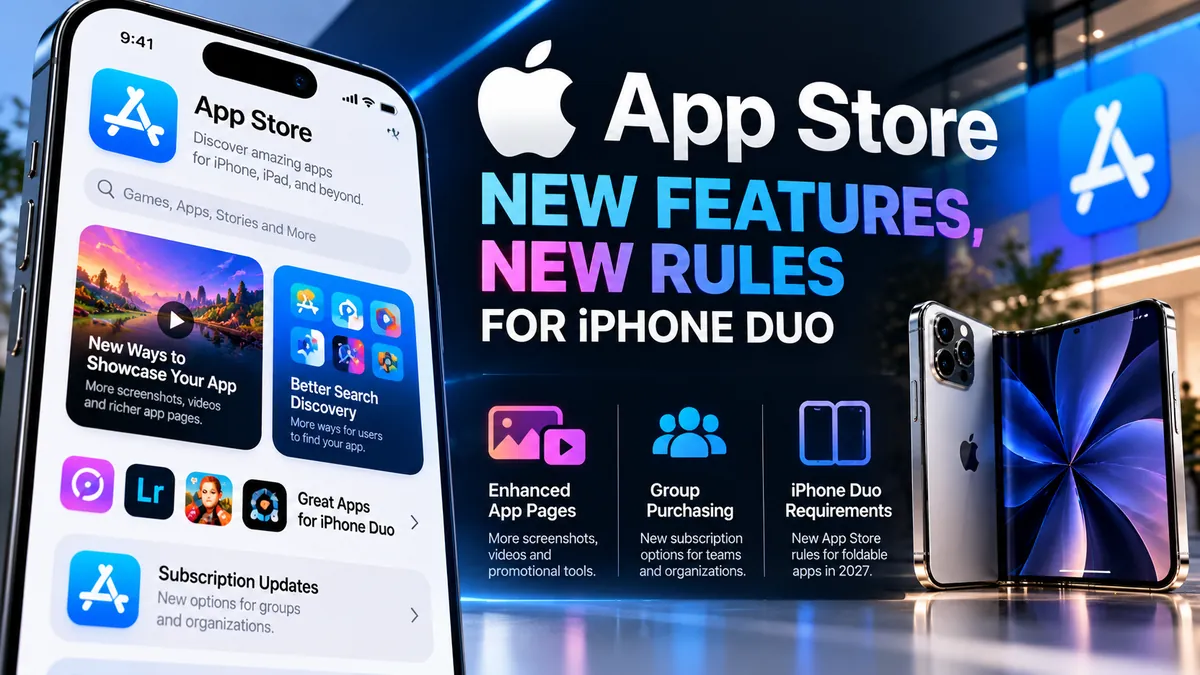
Apple is introducing a series of major App Store changes in October 2026, including new ways to showcase applications, updated developer tools, expanded subscription purchasing options, and important requirements for its first foldable iPhone, the iPhone Duo.
The updates could change how developers promote their apps, how businesses purchase subscriptions, and how users discover software across Apple's ecosystem.
One of the most significant developments is Apple's new requirement for iPhone Duo screenshots, which will take effect in April 2027. Developers can already submit optimized applications and receive a special badge on their App Store product pages.
Meanwhile, Apple is introducing new promotional images and videos, centralized asset management, and purchasing options designed for organizations and groups.
Here is a detailed look at the latest Apple App Store updates and what they mean for iPhone users, developers, and businesses.
Apple Introduces New App Store Features in October 2026
On October 5, 2026, Apple announced new creative assets designed to help developers present their applications more effectively.
The update expands the visual elements that can appear on App Store product pages and in search results.
Developers can now use additional images and videos to highlight their brand, promote seasonal campaigns, introduce new content, and communicate important features.
These assets complement traditional screenshots and app preview videos.
The goal is to give developers more flexibility when presenting their products to potential customers.
For users, the changes may make it easier to understand an application's purpose before downloading it.
For developers, stronger visual presentations could improve the way applications communicate their value.
However, better promotional materials do not automatically guarantee higher App Store rankings or increased downloads.
Performance will still depend on relevance, product quality, user interest, and other factors.
New Product Page Headers and Search Result Assets
One of the most visible App Store changes involves new creative placements.
Apple has introduced additional promotional opportunities within product page headers and search results.
Product page headers allow developers to create a stronger visual introduction to an application or game.
Search result assets provide another way to present relevant visuals when users browse the App Store.
Developers can use these placements to highlight specific features, showcase updates, or communicate what makes their products distinctive.
For example, a productivity application could feature its latest collaboration tools.
A mobile game could promote new characters, seasonal events, or gameplay improvements.
A photography application could demonstrate its editing capabilities through carefully selected images.
These new options may help developers create more informative and visually engaging listings.
Apple also provides design guidance and templates to help developers prepare compatible assets.
App Store Connect Gets a New Asset Library
Apple has also introduced a centralized Asset Library in App Store Connect.
App Store Connect is the platform developers use to manage applications, product information, distribution, and related App Store operations.
The new Asset Library brings together images, videos, app previews, screenshots, and other creative materials.
Previously, managing different types of promotional assets could involve separate workflows.
The centralized system is designed to make those activities more efficient.
Developers can upload and organize assets for use across multiple App Store placements.
Apple also allows certain creative assets to be submitted independently of an application update.
This means developers may be able to prepare promotional materials in advance rather than waiting for a new app version.
For businesses that frequently update marketing campaigns, this flexibility could simplify content management.
The Asset Library may be particularly useful for developers managing multiple applications or supporting several languages and markets.
Apple Adds Product Page Preview Tools
Another important improvement is the updated product page preview experience in App Store Connect.
Developers can now examine how their application listings will appear before submitting them.
The preview tool supports different Apple devices, orientations, and display modes.
It also supports Dark Mode, allowing developers to evaluate how their promotional materials appear under different interface settings.
This is particularly important for the iPhone Duo, which introduces a foldable display design.
An image that looks effective on a conventional smartphone may appear differently on a larger foldable screen.
Developers can use the preview system to identify potential layout problems and adjust their assets.
The tool also supports previews for custom product pages and product page optimization tests.
These capabilities may help developers make better-informed decisions about how their applications are presented.
iPhone Duo Introduces New App Store Requirements
Apple's first foldable iPhone is creating new responsibilities for application developers.
The iPhone Duo is scheduled to become available to customers on October 23, 2026.
Its design combines an outer display with a larger internal screen.
Applications must be able to adapt to different display sizes, orientations, and folding positions.
On October 5, Apple confirmed that developers could begin submitting iPhone Duo-optimized applications through App Store Connect.
The company also announced an upcoming screenshot requirement.
Starting in April 2027, applicable app submissions will need to include screenshots designed for iPhone Duo.
Apple's screenshot specifications identify this requirement for apps using the iOS 27.1 SDK or later.
This gives developers time to prepare compatible assets and test their applications.
It also signals Apple's intention to make the foldable device an established part of its software ecosystem.
iPhone Duo Screenshot Sizes Explained
Developers preparing their applications for iPhone Duo must consider two different displays.
According to Apple's official App Store Connect screenshot specifications, the outer display supports the following screenshot dimensions:
- Portrait: 1398 × 2034 pixels
- Landscape: 2034 × 1398 pixels
For the internal display, the specified dimensions are:
- Portrait: 2007 × 2853 pixels
- Landscape: 2853 × 2007 pixels
These dimensions are important because they help developers create screenshots that accurately represent their applications on the device.
Apple also supports certain scaled screenshot workflows, depending on the applicable submission requirements.
Developers should consult the current App Store Connect documentation before preparing final assets.
Incorrect dimensions, poorly adapted layouts, or unsuitable promotional images could create submission problems.
For teams building new applications, it may be easier to account for these requirements during the design process rather than making extensive changes later.
iPhone Duo Optimization Badge on the App Store
Apple has introduced a special way to identify applications optimized for iPhone Duo.
When developers submit iPhone Duo screenshots in App Store Connect, their product pages can display a badge indicating that the application is optimized for the device.
This could help users identify applications designed to take advantage of the foldable display.
For example, an application optimized for iPhone Duo may offer improved layouts, more effective multitasking, or interface adjustments for different folding positions.
However, the badge should not be interpreted as a guarantee that an application is completely free of bugs.
Users should still consider application quality, compatibility, and recent updates.
For developers, the badge creates an additional reason to prepare their applications for the new hardware.
How Developers Can Prepare Apps for iPhone Duo
Apple recommends using Xcode 27.1 to build and test applications for iPhone Duo.
The development environment includes support for the device's new screen configurations.
Developers can use Apple's testing tools to evaluate how their applications respond to different orientations and folding positions.
A responsive application should adapt its layout when the available display area changes.
Navigation controls, text fields, images, and interactive elements should remain usable across supported configurations.
Developers should also test multitasking behavior where applicable.
For example, an application that works well on a conventional iPhone screen may need adjustments when displayed alongside another application on the larger internal screen.
Apple provides design resources, technical documentation, and developer guidance to support this transition.
The company has also offered developer sessions and resources focused on preparing software for the new device.
Testing remains essential because automatic layout adaptation may not address every interface problem.
Apple Expands App Store Subscription Purchasing
Beyond visual improvements and iPhone Duo requirements, Apple is making changes to subscription purchasing.
The company has announced new options for organizations and groups.
Traditionally, many App Store subscriptions have been designed around individual customers.
The expanded purchasing system is intended to support teams, educational institutions, businesses, and other groups that need access for multiple users.
Two important options are Volume Purchasing and Group Purchases.
Both are designed to make subscriptions more flexible, although they serve somewhat different needs.
These features use Apple's StoreKit 2 framework.
Volume Purchasing for Businesses and Schools
Volume Purchasing allows eligible organizations to purchase subscriptions for multiple users.
Apple Business and Apple School Manager provide the purchasing channels for participating organizations.
Businesses and educational institutions can acquire subscription access and assign seats through supported management workflows.
For example, a company might purchase access to a productivity application for employees.
A school could acquire subscriptions for students or teaching staff.
Rather than requiring every person to complete an individual purchase, the organization can manage access centrally.
Apple has scheduled Volume Purchasing to launch on October 22, 2026.
As of October 16, this launch date is still upcoming.
Developers interested in offering subscriptions through this channel should review their App Store Connect settings and StoreKit implementation.
Group Purchases for Teams and Families
Apple is also preparing Group Purchases, a feature that allows one subscriber to purchase multiple subscription seats and invite other people to join.
The purchaser manages the subscription group, while invited participants can access the service through their own accounts.
This model could be useful for creative teams, small businesses, collaborative projects, and other groups.
For example, a design application could offer a subscription covering several collaborators.
A productivity service could allow a small team to share access under a single purchasing arrangement.
Apple handles important parts of the invitation and subscription management process.
Developers remain responsible for integrating the appropriate purchasing experience into their applications.
Group Purchases are expected to launch during winter 2026, according to Apple's published schedule.
The company has not provided a universally applicable launch date for every region and application.
Developers should monitor official announcements for availability updates.
What StoreKit 2 Means for Developers
StoreKit 2 is Apple's framework for handling in-app purchases and subscriptions.
The new group and organizational purchasing capabilities are designed around this system.
Developers using older purchasing implementations may need to review their applications before adopting the new options.
StoreKit 2 supports modern purchase handling and provides tools for managing subscription transactions.
Apple has also introduced configuration controls in App Store Connect for multiseat purchases.
For many eligible subscriptions, these purchasing options are enabled by default.
However, exceptions apply, including certain subscriptions using Family Sharing or older implementations.
Developers should check their individual subscription configurations rather than assuming every product has the same settings.
Subscription pricing and availability can also be adjusted according to supported options.
These changes could create new business opportunities for applications that serve professional teams and organizations.
How the App Store Updates Affect iPhone Users
The October 2026 App Store changes are not limited to developers.
Ordinary iPhone users may also notice improvements over time.
New promotional images and videos could make application listings more informative.
Updated search result presentations may help users compare applications before downloading them.
The iPhone Duo optimization badge could make it easier to identify software prepared for Apple's foldable device.
Expanded subscription purchasing may provide more options for people who use paid applications with colleagues or other group members.
However, the availability of these features will depend on individual developers adopting them.
Not every application will immediately support new promotional assets, group subscriptions, or specialized iPhone Duo layouts.
Users should also review subscription terms carefully.
A group purchasing option does not automatically mean that every participant receives a lower price.
The final cost depends on the developer's subscription structure and applicable purchasing conditions.
What These Changes Mean for App Developers
Apple's updates create several opportunities for application developers.
First, improved promotional assets offer additional ways to communicate product value.
Second, centralized asset management could reduce the complexity of preparing App Store listings.
Third, the iPhone Duo introduces new design opportunities for applications that benefit from larger displays.
Fourth, subscription purchasing changes could help developers reach businesses, educational institutions, and collaborative teams.
However, each opportunity comes with practical considerations.
Developers must allocate time to prepare compatible screenshots, test interface layouts, and review purchasing integrations.
They should also evaluate whether new promotional assets actually improve conversion rates.
A visually impressive product page is useful only when it accurately represents the application and helps customers make informed decisions.
For subscription products, developers should consider customer support, account management, pricing transparency, and access control.
The most successful implementations will likely focus on solving real customer problems rather than adopting features solely because they are new.
Frequently Asked Questions About Apple App Store Updates
What are the new App Store features in October 2026?
Apple introduced new promotional images and videos, product page headers, search result assets, an Asset Library, updated preview tools, and additional developer resources.
What changes are coming for iPhone Duo applications?
Developers can submit iPhone Duo-optimized applications now. Starting in April 2027, applicable submissions will need to include iPhone Duo screenshots.
When will iPhone Duo be released?
Apple has scheduled the iPhone Duo retail launch for October 23, 2026.
What is the iPhone Duo optimization badge?
It is an App Store product page badge displayed when developers submit qualifying iPhone Duo screenshots, indicating that the application has been optimized for the device.
What is Apple Volume Purchasing?
Volume Purchasing allows eligible businesses and educational institutions to purchase subscriptions for multiple users through supported organizational purchasing systems.
When will Volume Purchasing launch?
Apple has scheduled the feature to launch on October 22, 2026.
What are Apple Group Purchases?
Group Purchases allow one subscriber to purchase multiple seats and invite other people to access the subscription through their own accounts.
Are Group Purchases available now?
As of October 16, 2026, Apple plans to introduce Group Purchases during winter 2026.
Do developers need StoreKit 2?
StoreKit 2 is required for Apple's new group and organizational subscription purchasing options.
Will these updates make apps easier to find?
The new creative assets provide additional ways for developers to present their applications. However, Apple has not guaranteed that using them will improve search rankings or downloads.
Final Thoughts
Apple's October 2026 App Store updates represent an important expansion of the tools available to application developers.
New creative assets, centralized media management, and improved product page previews give developers more control over how their products appear.
At the same time, the upcoming iPhone Duo screenshot requirements demonstrate how Apple's software ecosystem is adapting to foldable devices.
The expansion of Volume Purchasing and Group Purchases also creates new possibilities for subscription-based businesses.
For developers, the coming months will be an important period for testing, design updates, and subscription planning.
For users, these changes could eventually lead to more informative app listings, better foldable-device experiences, and more flexible subscription options.
As Apple continues expanding its hardware and software ecosystem, the App Store remains a central part of how people discover, purchase, and use digital services.
Sources and References
- Apple Developer — Showcase Your Apps With New Assets on the App Store (October 5, 2026)https://developer.apple.com/news/?id=ljpl7kyn
- Apple Developer — Prepare and Submit Your Apps for iPhone Duo (October 5, 2026)https://developer.apple.com/news/?id=kkphp5qo
- Apple Developer — Get Your Subscriptions Ready for iOS 27 (September 16, 2026)https://developer.apple.com/news/?id=likeohx4
- Apple Developer — What's New on the App Store https://developer.apple.com/app-store/whats-new/
- Apple Developer — Screenshot Specifications https://developer.apple.com/help/app-store-connect/reference/app-information/screenshot-specifications
- Apple Developer — App Store Connect Release Notes https://developer.apple.com/help/app-store-connect/release-notes/
- Editorial Note: This article is based on official Apple Developer announcements and documentation available as of October 16, 2026. Requirements, availability, and launch schedules may change.