AI Agents Can Now Log In for You. Here's When You Should Let Them
1Password's new platform lets AI agents sign in without seeing your password. That solves one problem and creates a new question: which accounts should you actually let an agent into?
In this article
For most of the past year, AI agents have had an awkward weak spot. They can compare flights, fill a shopping cart and draft a reply to your landlord, and then they hit a login page and stop. You either type the password yourself, which defeats the point, or you paste it into the chat, which is a genuinely bad idea.
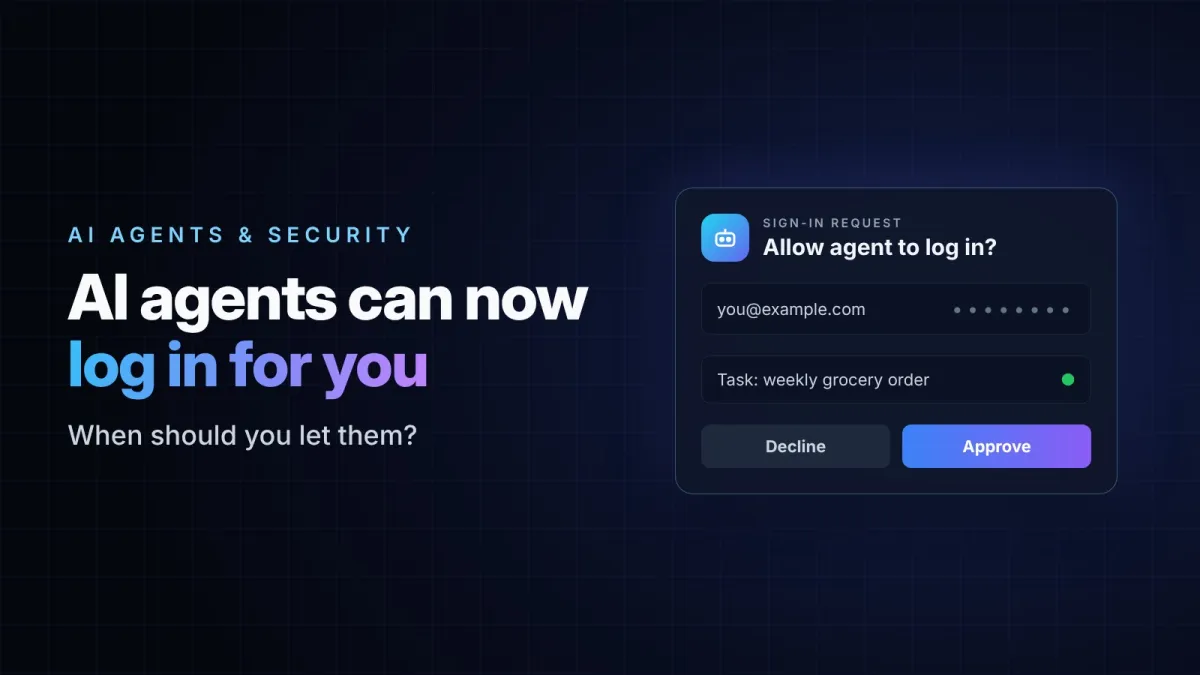
On October 22, 1Password announced a fix for that gap. Its new platform, 1Password for Agents, lets a personal AI agent sign in to your accounts without ever receiving the password. You approve the request, 1Password types the credential into the website itself, and the agent carries on with the task.
It is a clever piece of plumbing. It also raises a more interesting question than "how does it work": now that an agent can log in for you, which accounts should you actually let it into?
How the sign-in actually happens
The design is simpler than it sounds. When a supported agent reaches a sign-in form, it doesn't ask you for the password. It asks 1Password.
- The agent identifies itself to 1Password with its own digital key, so 1Password knows which agent is asking.
- You get a prompt showing which login the agent wants to use and for what task. You approve or decline it.
- If you approve, 1Password fills the username and password directly into the website's form.
- Once the site accepts the login, the credential is cleared. The agent never sees it, can't store it and can't reuse it later.
The important detail is the last one. The password never passes through the AI model, so it never ends up in a chat history, a log file or a prompt that someone could later extract. The rest of your vault stays closed to the agent as well. As 1Password put it at launch, the agent can't approve its own access.
This isn't entirely new. In July, 1Password shipped a narrower version of the same idea for Claude on the Mac. The October launch takes that approval model and opens it up to several agents at once.
Which agents work with it
According to the launch coverage, Meta's Muse and SpaceXSI's Grok Bot are the first integrations to roll out. OpenAI's ChatGPT Work and dots agents, Anthropic's Claude Duet and Town's Townie are announced as coming next, with integrations for tools such as Perplexity, Browserbase, Browser Use and Ramp in development.
There are two practical limits worth knowing before you go looking for the setting:
- It is included at no extra cost for Individual and Family accounts on 1Password.com.
- At launch it was not yet available for accounts on 1Password.ca or 1Password.eu, so some users in Canada and Europe will have to wait.
The level of protection also depends on how each agent is built, so it is worth reading the details for the specific agent you plan to connect rather than assuming they all behave the same way.
What it solves, and what it doesn't
The problem 1Password is solving is real. Handing a password to an AI model has always been risky: the text can be stored, logged, reused in a later step or exposed through a prompt injection on a malicious page. Keeping the credential out of the model removes that entire category of leak.
What it doesn't do is make the agent trustworthy. After the login succeeds, the agent is inside your account with whatever permissions that account has. It can click, buy, change settings or send messages, exactly like you could. 1Password guards the key to the door. It has no say in what happens once the door is open.
That distinction is where most of the risk now sits.
A simple test before you approve a login
A useful way to decide is to ask one question: if the agent gets this wrong, can I see the mistake and undo it before it costs me anything?
Ordering groceries passes that test easily. You can review the cart, change the delivery and cancel an item. A tech reviewer at PCWorld who tried the earlier Claude integration described doing exactly that: the agent logged in, shopped and checked out, and he could still adjust the order before delivery. He was also clear about where he would draw the line. He said he would not give an agent access to his bank account or his medical records portal.
That instinct is a good starting point. Here is how common accounts tend to fall:
Usually reasonable to try
- Grocery and food delivery orders you can review before they ship
- Booking a restaurant table or comparing hotel prices without paying
- Reading order history or tracking a parcel
- Newsletters, loyalty programs and other low-value accounts
Think twice
- Online stores where your card is saved and checkout is one click
- Your main email account, because it can be used to reset passwords for everything else
- Work tools where an agent could message colleagues or change shared documents
Better kept manual for now
- Banking, investment and crypto accounts
- Health portals and government services
- Anything protected by an action you can't reverse, such as a wire transfer or deleting data
Five habits that make agent logins safer
- Approve per task, not forever. If the agent offers a time limit or a one-time approval, use it. A login granted "for this order" is far safer than one granted indefinitely.
- Read the prompt before you tap. The approval screen tells you which account and which task. If either one looks wrong, decline. A surprise login request can be a sign the agent has been misled by a web page.
- Keep two-factor authentication on. It still protects the account if anything else goes wrong, and it gives you one more checkpoint for sensitive sign-ins.
- Turn on purchase alerts. Most stores and banks can email or notify you about every order or payment. That is the fastest way to catch an agent mistake.
- Review what you've connected. Every few weeks, check which agents are linked to your vault and remove the ones you no longer use.
Why this matters beyond 1Password
Agents that can act inside your accounts are quickly becoming normal. OpenAI, Anthropic, Meta and Google are all shipping assistants built to complete tasks rather than just answer questions, and logins were one of the last obvious barriers. A tool like this removes that barrier in a fairly responsible way.
But it also shifts the responsibility. Security is no longer only about keeping a password secret. It is about deciding which tasks you are comfortable delegating, and to which agent. Password managers can help with the first part. The second part is still a judgment call, and for now it should stay yours.
Sources
- TechCrunch: 1Password launches a way for AI agents to log in on your behalf without seeing your password
- 9to5Google: 1Password will let AI agents use your passwords without seeing them
- PCWorld: news analysis of 1Password for Agents, October 22, 2026
- Trew Knowledge: AI This Week (availability and pricing details)
- iPhone in Canada: 1Password now lets AI agents sign in without seeing your passwords